TV Mounts & Stands

TV Mounts & Stands
Shop By

Items 131-140 of 242

Set Descending Direction
View as List Grid
  1. Neomounts WL30S-950BL19 Heavy duty wall mount 55-115" - fixed - lockable - landscape and portrait

    Neomounts WL30S-950BL19 Fixed heavy duty wall mount - 55-115" screen - max 160 kg - VESA 100x100-1500x900 - d 6,7 cm - level adjustment - lockable (incl. security screw, excl. lock) - landscape and portrait - black
    Login for pricing
  2. Manhattan Wall Mount for TV & Monitors (Full Motion), For screens 32" to 65", VESA compatability: all between 100x100mm and 600x400mm - check the dimensions of the four mounting holes on back of screen to ensure it fits, Max 40kg, Black, Bracket, Lifetime

    Wall Mount for TV & Monitors (Full Motion), For screens 32" to 65", VESA compatability: all between 100x100mm and 600x400mm - check the dimensions of the four mounting holes on back of screen to ensure it fits, Max 40kg, Black, Bracket, Lifetime Warranty
    Login for pricing
  3. StarTech.com Ultra-Slim Articulating TV Wall Mount for up to 65-inch and 99lb/45kg Flat Screens, VESA 600x400, TAA-Compliant Low-Profile Bracket

    StarTech.com Ultra-Slim Articulating TV Wall Mount for up to 65-inch and 99lb/45kg Flat Screens, VESA/TAA Low-Profile Bracket
    Login for pricing
  4. Neomounts WL40S-850BL14 TV mount wall 40-65" - full motion - fast installation

    Neomounts LEVEL-850 WL40S-850BL14 Full motion TV mount wall - 40-65" - max 40 kg - VESA 100x100-400x400 - d 4,7-55,5 cm - level adjustment - Rapid Install-model incl. fixing template - black
    Login for pricing
  5. Manhattan Wall Mount With Extension for TV & Monitors (Tiltable Anti Theft), For screens 37" to 100", VESA compatability: all between 200x200mm and 800x400mm - check the dimensions of the four mounting holes on back of screen to ensure it fits, Max 75kg,

    Wall Mount With Extension for TV & Monitors (Tiltable Anti Theft), For screens 37" to 100", VESA compatability: all between 200x200mm and 800x400mm - check the dimensions of the four mounting holes on back of screen to ensure it fits, Max 75kg, Bracket
    Login for pricing
  6. StarTech.com Heavy-Duty Articulating TV Wall Mount for up to 100-inch and 187.4lb/85kg Flat Screens, VESA 800x500, Low-Profile Bracket, TAA-Compliant

    StarTech.com Heavy-Duty Articulating TV Wall Mount for up to 100-inch and 187.4lb/45kg Flat Screens, TAA Low-Profile Bracket
    Login for pricing
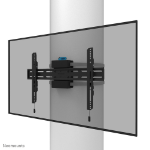
  7. Neomounts WL40S-910BL16 TV pillar mount 40-70" - full motion - diam. 25-100 cm

    Neomounts WL40S-910BL16 Full motion TV pillar mount - 40-70" - max 45 kg - VESA 200x100-600x400 - suitable for Ø 25-100 cm - d 8,2-59 cm - level adjustment - black
    Login for pricing
  8. Neomounts WL40S-840BL14 TV mount wall 32-65" - full motion - fast installation

    Neomounts LEVEL-850 WL40S-840BL14 Full motion TV mount wall - 32-65" - max 40 kg - VESA 100x100-400x400 - d 4,9-34,5 cm - level adjustment - Rapid Install-model incl. fixing template - black
    Login for pricing
  9. Manhattan Wall Mount for TV & Monitors (Tiltable Low Profile), For screens 37" to 100", VESA compatability: all between 200x200mm and 800x400mm - check the dimensions of the four mounting holes on back of screen to ensure it fits, Max 70kg, Bracket

    Wall Mount for TV & Monitors (Tiltable Low Profile), For screens 37" to 100", VESA compatability: all between 200x200mm and 800x400mm - check the dimensions of the four mounting holes on back of screen to ensure it fits, Max 70kg, Bracket
    Login for pricing
  10. Manhattan Floor Stand for TV & Monitor Mounts (Ultra Slim), Stand Assembly, For screens: 37" to 55", VESA compatability: all between 200x200 to 400x400mm - check the dimensions of the four mounting holes on back of screen to ensure it fits, Max 40kg, LFD,

    Floor Stand for TV & Monitor Mounts (Ultra Slim), Stand Assembly, For screens: 37" to 55", VESA compatability: all between 200x200 to 400x400mm - check the dimensions of the four mounting holes on back of screen to ensure it fits, Max 40kg, LFD, Bracket
    Login for pricing

Items 131-140 of 242

Set Descending Direction
View as List Grid